
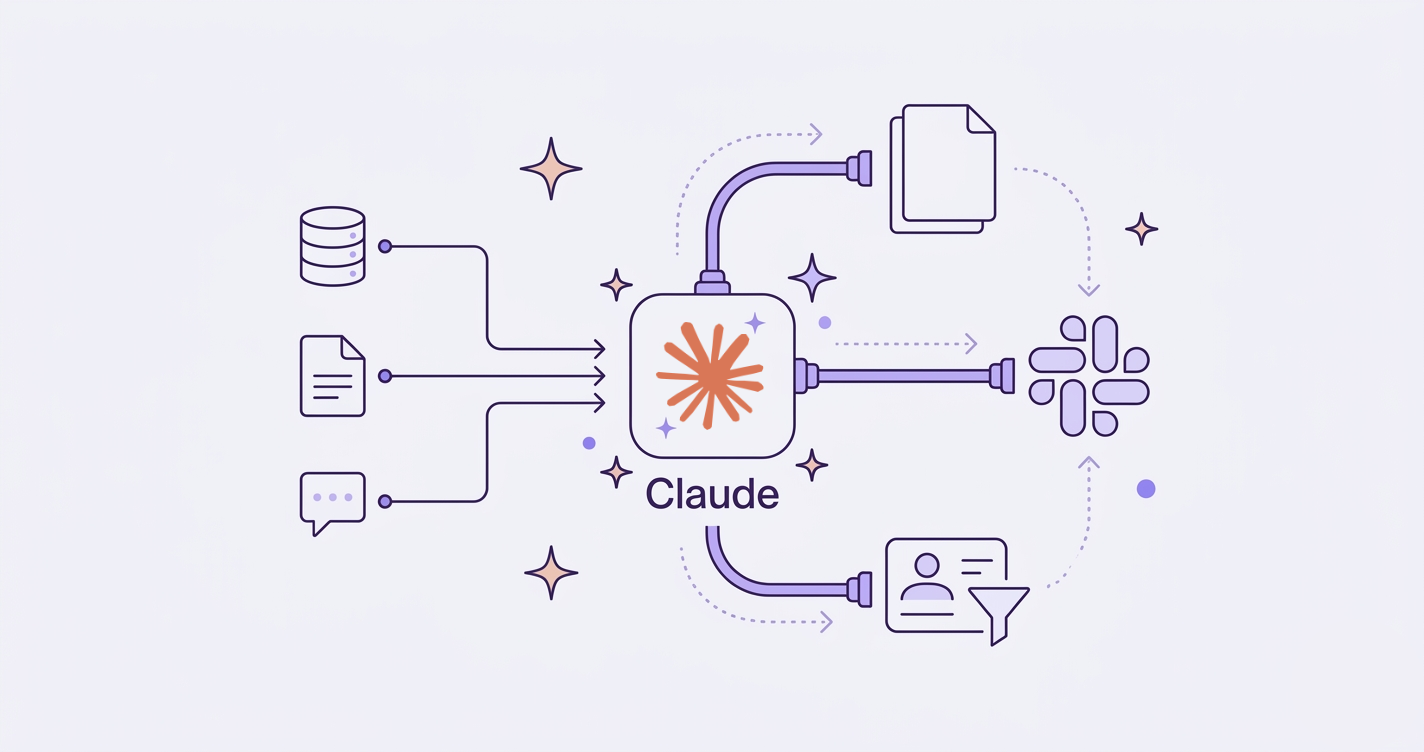
The false problem people bring me: "Notion AI isn't enough, we need to plug Claude in." The real problem, once you scratch the surface: their critical workflow lives across Notion, Slack, a CRM, and sometimes a custom database. No native AI feature, on any tool, covers that perimeter.
Notion 3.0 ships with Claude Sonnet 4 native and agents that can work autonomously for 20 minutes. Slack exposes three official paths for integrating AI. HubSpot rolled out a native Claude connector in July 2025. The debate is no longer "with or without AI". It's "native or custom".
And custom isn't a technical whim. It's what makes you independent from someone else's roadmap.
Three cases where claude api integration earns its keep
Notion: a knowledge base that spans more than one workspace
Notion AI is great inside Notion. The moment your knowledge is split across two workspaces, a Confluence, or a Drive, you're stuck. A direct API integration lets you build a single retrieval layer that pulls from everywhere, then writes back into Notion as structured pages. Cost avoided: a second Notion AI seat per agent, plus the Confluence-to-Notion sync tool you were about to subscribe to. Time saved: the cross-source search that used to take 15 to 20 minutes runs in seconds. The real unlock isn't speed, it's that people stop opening four tabs to answer one question.
Slack: a Q&A bot that actually knows YOUR data
Out-of-the-box Slack AI summarizes channels. Useful. Limited. What clients usually want is a bot answering "what did we ship for client X last quarter" by reading project tickets, deal notes, and the engineering changelog. That's a claude api integration with a retrieval layer over your stack, not a Slack feature. GitLab reports 25 to 50% productivity gains and 98% satisfaction on this kind of internal assistant.
CRM: lead qualification + contextual email drafting
HubSpot has a native Claude connector now. If your CRM is HubSpot and your sales process fits their templates, use it. End of story.
If you're on Salesforce, on a custom CRM, or your sales team has its own scoring logic, direct integration wins. Cost avoided: a per-seat AI license. Time saved: hours of email drafting and lead research compressed into minutes, with output the rep just edits instead of writing from scratch.
A 4-step method for claude api integration without screwing it up
Step 1: Map the real workflow, not the org chart
The org chart says "sales does sales, ops does ops". The real workflow says "to close a deal, the rep pulls data from HubSpot, checks Slack for the latest delivery status, then writes a follow-up in Notion before sending the email". Four tools, one workflow.
I always start with a 30-minute call where I draw the actual sequence of clicks. Not what the process is supposed to be. What it is. That map decides everything that follows: the integration point, the data sources, the prompt scope, the guardrails. Skip this step and you build an elegant solution to a problem nobody actually has.
The signal you're on the right map: when a team member says "yeah, that's exactly how I do it, but I thought I was the only one with that hack". Now you have a workflow worth automating.
Step 2: Choose your integration point: direct API, MCP, or middleware?
Three options, three trade-offs.
Direct API (Anthropic Messages API). Max control, min latency, you own the prompts, the retry logic, the logging. Good when the workflow is core to the business and will run thousands of times a day.
MCP (Model Context Protocol). Launched by Anthropic in November 2024, adopted by Block, Apollo, Zed, Replit, and Sourcegraph in the first wave. The official docs call it "USB-C for AI apps": one protocol, many tool connectors. Good when you want Claude to talk to multiple services without writing five different glue scripts. If you want the full picture, I broke it down in MCP, explained for tech decision-makers.
No-code middleware (n8n, Make). Fast prototyping, visual orchestration, 200K token context out of the box on the n8n Anthropic node. Good for piloting a workflow before committing engineering time. Scaling past a few thousand runs a day gets debatable. I compared the options in n8n vs Zapier vs Make in 2026.
My rule of thumb: prototype on no-code, validate the workflow with users for two weeks, then port to direct API or MCP once you know what you actually need.
Step 3: Version and test prompts like code
This is the step most teams skip. Then they wonder why the bot that worked great in October is hallucinating in February.
Prompts drift. A new model version, a new edge case in your data, a teammate "improving" the wording, and suddenly your acceptance rate drops 20% without anyone noticing. Langfuse handles prompt versioning with staging and production labels, and rollback without redeploy. Pick a tool, any tool, but version your prompts.
Define acceptance metrics before shipping. "The bot replies correctly" isn't a metric. "90% of replies require zero edit before sending" is.
Step 4: Deploy with guardrails
Three guardrails matter.
Cost control with prompt caching. Anthropic's prompt caching charges cache reads at 0.1x the input price. Culprit's case study shows a 90% cache-hit rate and RCA cost going from $0.0065 to $0.0033 per run. Full deep dive: how prompt caching cuts Claude costs.
Human fallback and monitoring. Every workflow needs an escape hatch. If confidence is low, route to a human. If error rate jumps, alert. If a prompt change ships, A/B against the previous version before fully rolling it out. Without that, a model update silently degrades your conversion rate for three weeks before anyone notices. By the time someone spots the dip in the monthly report, you've lost the trail.
Privacy and compliance. The CNIL (the French data protection authority) published its AI and GDPR recommendations in February 2025. If you process customer data, read them. For regulated industries, the Salesforce/Anthropic partnership introduced a VPC trust boundary that keeps data inside the customer's perimeter. That's the kind of architecture that gets a compliance team to sign off.
The trap everyone underestimates: prompt governance
Fulcrum's analysis on prompt governance lays out four enterprise risks: drift, shadow prompts, agents writing to production databases on faulty instructions, and the upcoming EU AI Act enforcement window (August 2026 for high-risk systems).
The risk that bites first is drift. You ship a prompt, it works, business decisions get made on its output. Six months later, the prompt has been edited twelve times by four people, nobody knows which version is in production, and the output has quietly stopped matching what the original spec required.
Treat prompts like code. Git history, code review, staged rollouts, rollback plan. The day an agent starts writing to your CRM or your billing system on a faulty prompt, you'll wish you had.
Without versioning and monitoring, a prompt drifting in production means business decisions on sand.
This is also where claude api integration projects fail post-launch. Not because the model is bad. Because nobody owns the prompts as a versioned asset.
When NOT to build a custom integration
I'm a consultant, I bill for builds. Telling you not to build is on-brand, not against it.
Three criteria to flip from native to custom. (a) The workflow crosses tools. If everything happens inside Notion or inside HubSpot, the native AI is usually enough. (b) Volume justifies the cost delta. Below a few thousand AI interactions a month, per-seat licensing on a native product is cheaper than building. (c) Data control is non-negotiable. Regulated industry, sensitive customer data, or a contractual obligation to keep data on specific infrastructure.
If none of those apply, stay on the native option. Pay the seat. Move on. Honesty beats pitch.
Where to start, concretely
If you're not sure whether to integrate or stay native, the decision is usually 30 minutes of mapping the actual workflow. Not weeks of evaluation.
Not sure where you fall? I run free 30-minute audits to qualify the case. Either I tell you the native option is fine, or we scope the build. → Book 30 minutes.
For the full picture of what a Claude integration project looks like, see the Claude consultant page, or if your pain is more about wiring tools together than AI specifically, process automation.