
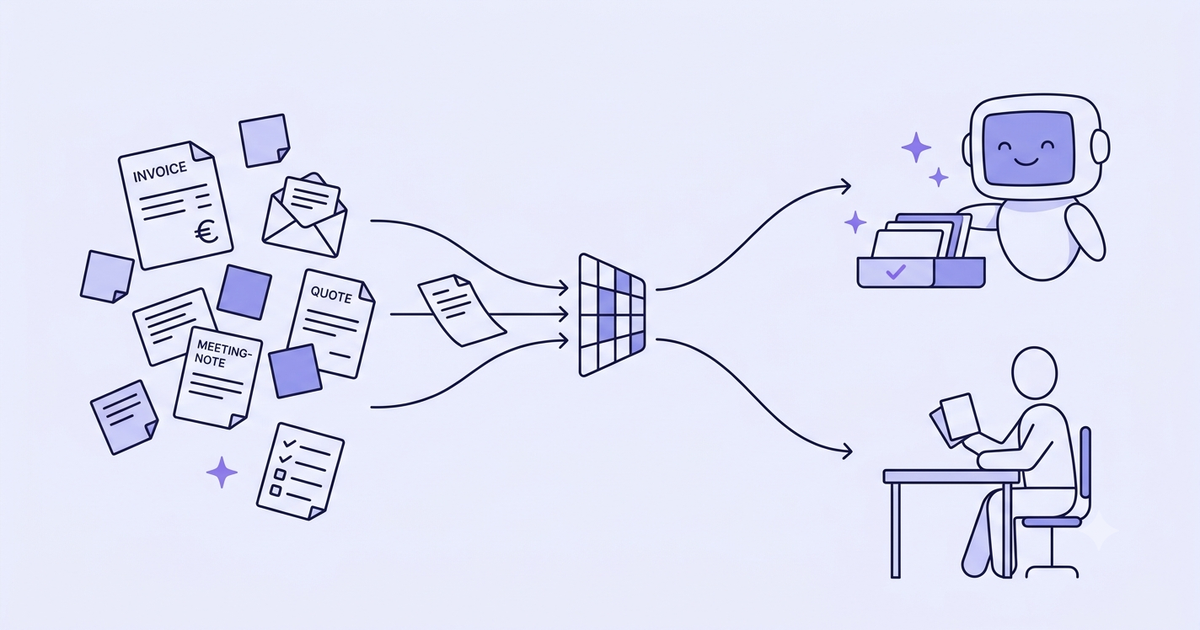
I get asked the same question almost every time, and it's almost never the right one. "Which AI tool should I buy?" Copilot, ChatGPT Team, some custom platform, whatever a salesperson pitched last week. You're shopping for software. That's exactly where the first project goes wrong.
Because the expensive mistake isn't picking the wrong tool. A wrong tool, you swap out in a month. The expensive mistake is starting with the wrong task. You point AI at something badly chosen, it produces nothing anyone can see, the team shrugs, and "AI" dies in your company for eighteen months. Not because the AI failed. Because you aimed it at the wrong spot.
Here's the good news. Sorting your tasks is something you can do yourself, before buying or plugging in anything. No dependence on a vendor who, funny enough, always concludes that their product is the perfect place to start.
The real question isn't "which tool" but "which task"
The market sells you tools. That's rational: a tool can be priced, demoed, put on a slide. A well-chosen task can't. So you get pitched features, models, copilots, and everyone skips the step that decides everything.
The real leverage isn't in the software. It's in choosing what you hand it first. Take two identical companies, same tool, same budget. One recovers ten hours a week. The other gets annoyed and unplugs it. The whole difference comes from one decision made upstream: the starting task.
Before asking "which tool," ask a dumber, more useful question. Which task in my company comes up all the time, follows clear rules, and hurts no one if it slips once? Answer that, and the tool choice becomes an afterthought. It's mechanics, not magic. If you're not even sure you have the foundations for any of this to hold, I wrote a grid for that: is your company ready for AI. This article assumes yes, and takes on the next step.
The 4 criteria that make a task automatable
Here's the grid. You can run it Monday morning, on the back of a napkin, no consultant required. Take a task someone does by hand in your company and score it on four things.
Frequency. Does it come back? A task that happens twice a year isn't worth automating, the juice isn't worth the squeeze. A task that comes up every day, or twenty times a week, is where saved time actually stacks. The more repetitive, the stronger the leverage.
Clear rules. Could you explain how to do it to an intern in five minutes? If yes, AI can follow it. If the task hinges on a gut call your best salesperson took fifteen years to build, or an "it depends" nobody can write down, it's not the one to start with.
Accessible data. Does the information it needs live somewhere clean? A CRM, an ERP, an inbox, a spreadsheet that's roughly kept up. If the data lives in three people's heads and in Excel files sent as attachments, AI works on sand. It produces wrong answers, just faster.
Low cost of error. And if it gets it wrong once, what does that cost? A clumsy payment reminder, you recover from. A firing decision or a €200K quote sent sideways, you don't. To start, pick a task where a mistake shows up fast and gets fixed without damage.
A good first task ticks all four boxes. Frequent, ruled, documented, harmless. Look for the intersection, not the most impressive task.
The temptation is to aim straight for the most strategic, board-visible topic. Bad idea. The strategic topic is usually the one where the rules are fuzzy and the cost of error is high, the exact opposite of what a first move needs. Start with the thankless and repetitive. Less glorious, and it works.
The tasks to automate first in an SMB
Let's get concrete. Here's a shortlist of tasks that, in most SMBs, tick all four boxes at once. Grouped by function, so you can find yours. These aren't how-to guides, just proven starting points.
Admin and finance. Chasing overdue invoices: repetitive, ruled (the tone hardens as the delay grows), the data sits in your billing tool. Reconciliation and data entry: matching a payment to an invoice, filing a document, the stitching nobody enjoys. Recurring reporting: that table someone rebuilds by hand every Monday can generate itself.
Sales and order management. Quote preparation, especially in trade and distribution, where pricing quickly becomes the bottleneck: everyone's waiting on the quote. It's a textbook case, I broke it down here on AI-assisted order management. Qualifying inbound requests: sorting a contact form, telling a real prospect from a spontaneous job application, and routing it to the right person.
Support and operations. Answering recurring questions: when 60% of your tickets ask the same thing, the machine can draft an answer a human approves. It works even better when your answers draw on your own documents, procedures, product sheets, contracts, what people call making your documents talk to AI. I gathered concrete cases on RAG in business. Email triage and routing: read, classify, send to the right team.
Meetings. Minutes: transcription, summary, action list. A task everyone hates, nobody does well, and where an error costs almost nothing.
Look at this list and find yours. One is enough to start. All these tasks share the same DNA: frequent, framed, fed by data that already exists, and forgiving of a mistake. That's not a coincidence, it's the four-criteria filter that did the sorting.
Assistant, automation or agent: three levels, not one
Once the task is chosen, the "how" comes up. And this is where people overspend fast. They picture a smart, autonomous system that handles everything, when a €20-a-month assistant would have done the job. There are three levels, and the right instinct is to move up only once the previous one has proven its gain.
Level 1, the assistant. A ChatGPT or a Claude, where a human copies in a prompt and gets a result back. The human stays in control at every step. It's the cheapest level, the fastest to test. For drafting, summarizing, rephrasing, it's often already 80% of the gain.
Level 2, automation. No more copy-paste. The task triggers itself and chains the steps: an invoice arrives, it's read, classified, a reminder draft lands in a queue for approval. This is the backbone of most projects that genuinely give time back. It's also where you have to be careful to plug AI in without breaking what already runs, which I covered in integrating AI without breaking your existing setup.
Level 3, the agent. A system that decides its own steps to reach a goal, instead of just following a script written in advance. More powerful, more expensive, trickier to keep on rails. You go there when level 2 maxes out, not before.
The classic blunder is starting at level 3 because it sounds modern. Start at level 1. If the gain holds, move up. Most SMBs find their sweet spot at level 2 and never need to go further.
The tasks you should never automate
This is the part everyone skips, and it's the most important one. Some tasks aren't sped up by AI, they're actively made worse. Spotting them protects you from your biggest risk.
High-stakes judgment. A hire, an investment call, a strategic trade-off. AI can prepare, summarize, compare. It must not decide. The day your worst decision of the year was "recommended by the system," you delegated the one thing you couldn't delegate.
Sensitive client relationships. An unhappy customer, a complaint that stings, a delicate account. Firing off an auto-generated reply to someone who just lost patience is the surest way to lose them for good. Those moments need a real person. They're rare, they're expensive, don't automate them.
Irreversible decisions. Anything that, once it's gone, can't be pulled back: a wire transfer, a signed contract, a termination, a public message in the company's name. Simple rule: the harder an action is to undo, the more a human has to approve it before it ships.
Tasks sitting on unreliable data. If the input is wrong, incomplete or stale, AI amplifies the problem instead of fixing it. Automating a report on shaky numbers just spreads the wrong figure faster and with more confidence. Bad data doesn't come out clean because it passed through a machine.
AI gives time back on the thankless and repetitive. It destroys value the moment you hand it judgment, a relationship that matters, or the irreversible.
The thread: keep the human where there's judgment, emotion, or a mistake you can't take back. Hand the machine the rest, the volume, the stitching, the repetition. This split isn't a technical limit of today's AI. It's just a good way to run a business.
What it costs, and how fast it pays back
Fair question, and the ranges below are orders of magnitude, not quotes. They swing wildly with your context. Treat them as landmarks, not promises.
The off-the-shelf tool. A ChatGPT Team or Claude subscription, a few tens of euros per user per month. Zero development. You test level 1 for the price of a lunch. That's often where to start, and sometimes it's enough.
Custom automation. A flow that runs on its own, wired into your existing tools. Depending on complexity, budget anywhere from a few thousand to around ten thousand euros as a one-off project, then it's yours. The technical "how" often runs through platforms like n8n, Zapier or Make, which I compared in this article.
The integrated agent. Level 3, heavier to scope and to make reliable. The budget climbs and so does the timeline. Save it for cases where the gain is already proven lower down.
The return is measured in hours saved, not in promises. Take a task, count the time it eats per week, multiply by the loaded hourly rate of whoever does it. A task costing a skilled person five hours a week is a real line of spending, even if it never shows up on an invoice. That number, not the price of the tool, tells you whether the project is worth it.
The 30-day method
No grand transformation plan. One pilot task, measured, then you expand. Here's how I frame it.
Week 1, choose and measure the before. One task, run through the four criteria. Before touching anything, note the current state: how long it takes, how often per week, who does it. Without that baseline, you'll never know whether you gained anything.
Weeks 2 and 3, set up the lightest thing that works. Start at the simplest level that meets the need, usually an assistant or a small automation. Keep the human in the approval seat. Adjust on real cases, not on a dreamed-up spec.
Week 4, measure the after and decide. Compare against the baseline. Real time saved? Expand to a second task. Fuzzy or no gain? Stop with no regret, and you learned something for almost nothing. That's the whole point of a pilot: failure costs you a week, not an annual budget.
The three mistakes that sink a first project
Three traps come up again and again, and they're all avoidable.
Automating everything at once. You try to transform five departments in parallel, you drown, nothing ships. One task. Just one. Prove it, then expand.
Skipping the measurement. With no before-and-after number, your project becomes a matter of feeling, and feeling flips the second one skeptic pipes up in a meeting. Measure, even roughly.
Automating an already-broken process. If your billing flow is a mess, automating it produces a faster mess. AI amplifies what's already there. Tidy first, automate second.
None of these traps are technical. They're starting choices, exactly the ones the four-criteria grid and the 30-day pilot help you not get wrong.
Where to start
Not with a purchase. With a sheet of paper and five minutes. List three tasks that drain your time every week, run them through the four criteria, keep the one that ticks the most boxes without ever touching judgment or the irreversible. That's your pilot.
If you want an outside read to choose between two or three candidates, or just to check you're not walking into the trap task, that's exactly what a short scoping session is for: looking at your real tasks and telling you which one to start with, including when the honest answer is "not yet, tidy that up first." Write to me here, thirty minutes is enough to tell whether the topic is worth it in your case.
The right tool won't save a bad starting point. The right first task, on the other hand, chooses itself once you know what to look at.